

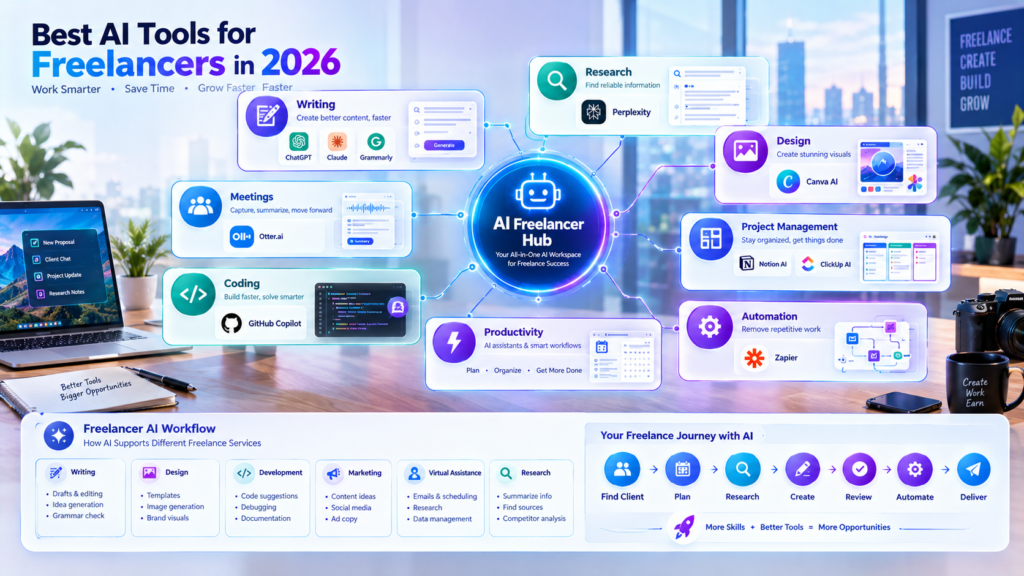
Freelancing has changed significantly with the rise of artificial intelligence. In 2026, freelancers can use AI tools to research faster, create content, communicate with clients, manage projects, design graphics, write code, and automate repetitive tasks.
The goal is not to let AI do everything. Instead, successful freelancers can use AI to reduce repetitive work while keeping human creativity, expertise, communication, and quality control at the center of their services.
Recent Upwork research shows that demand for skills explicitly connected with AI has grown rapidly, while traditional professional skills such as coding, design, marketing, and virtual assistance continue to be important. This means freelancers can benefit from combining AI knowledge with an established freelance skill.
If you are a beginner or an experienced freelancer, the right AI tools can help you organize your workflow and deliver client work more efficiently.
Why Freelancers Need AI Tools in 2026
Freelancers often have to handle many responsibilities themselves.
A freelancer may need to:
- Find potential clients
- Write proposals
- Research topics
- Communicate with clients
- Create content
- Design graphics
- Manage projects
- Attend meetings
- Track deadlines
- Edit work
- Prepare reports
- Handle repetitive administrative tasks
Doing all of these manually can consume a significant amount of time.
AI tools can help automate or accelerate many of these activities. For example, an AI assistant can help brainstorm ideas, a research tool can help organize information, a design platform can speed up visual creation, and automation software can connect different applications.
The key is choosing tools based on your actual freelance workflow instead of subscribing to every new AI service.
1. ChatGPT – General-Purpose AI Assistant
ChatGPT is one of the most flexible AI tools available to freelancers.
It can be used for brainstorming, writing, research assistance, client communication, content planning, coding help, data organization, and many other tasks.
For example, a content writer can use ChatGPT to brainstorm article ideas, create an outline, improve clarity, or generate questions for research.
A virtual assistant can use it to organize information or draft professional emails. A developer can use it to explain code, troubleshoot problems, or brainstorm implementation approaches.
However, freelancers should always review AI-generated content before delivering it to clients.
Best for: Writing, brainstorming, research assistance, coding, communication, planning, and general freelance tasks.
2. Claude – Writing and Long-Form Work
Claude is another useful AI assistant for freelancers who regularly work with long documents, detailed instructions, analysis, or writing.
Freelance writers can use AI assistants such as Claude to help structure long-form articles, summarize documents, brainstorm ideas, and improve drafts.
It can also be useful for analyzing large amounts of text and turning complicated information into easier-to-understand material.
For freelancers who work with reports, documentation, proposals, or long-form content, this type of AI assistant can become part of the daily workflow.
Best for: Long-form writing, analysis, document work, brainstorming, and client communication.
3. Canva AI – Design and Visual Content
Freelancers working in graphic design, social media management, marketing, and content creation can benefit from Canva’s AI-powered features.
Instead of starting every design from scratch, freelancers can use AI-assisted features to generate ideas, create layouts, edit images, and develop visual content.
For example, a social media freelancer managing several clients can use Canva to create posts, presentations, promotional graphics, thumbnails, and other visual assets more efficiently.
AI can speed up the design process, but professional freelancers should still make creative decisions based on the client’s brand, audience, and requirements.
Best for: Social media graphics, presentations, marketing visuals, thumbnails, and simple brand content.
4. Perplexity – AI-Powered Research
Research is an important part of many freelance jobs.
Content writers, SEO specialists, marketers, consultants, and virtual assistants often need to collect information before completing a project.
Perplexity can help freelancers explore topics and organize information while providing source-oriented answers.
A freelancer could use it to understand an unfamiliar industry, research a topic for an article, explore competitors, or find information that can be investigated further.
AI research tools should not replace fact-checking. Freelancers should verify important information using reliable primary or authoritative sources before including it in client work.
Best for: Research, topic discovery, competitor research, and information gathering.
5. Grammarly – Writing and Editing
Strong communication is essential for freelancers.
Even when your main service is not writing, you may still need to send proposals, emails, project updates, reports, and client messages.
Grammarly can help freelancers improve grammar, spelling, clarity, tone, and readability.
A freelancer can use it before sending an important proposal or client email to make the communication clearer and more professional.
For content writers, editors, and copywriters, editing assistance can become an important part of the workflow.
Best for: Grammar, editing, proofreading, professional communication, and content polishing.
6. Notion AI – Project Organization
Freelancers often manage several projects at the same time.
Notion combines notes, documents, databases, project organization, and AI features in one workspace.
A freelancer can create pages for different clients, store project information, maintain content calendars, organize ideas, and track tasks.
AI features can also help summarize information, organize notes, and assist with writing.
For freelancers who want to keep their work organized instead of using many disconnected documents, Notion can be useful.
Best for: Project organization, notes, content planning, client information, and productivity.
7. ClickUp AI – Project and Task Management
ClickUp is another platform freelancers can use to manage tasks and projects.
AI features can assist with writing, summaries, task organization, and project-related workflows.
For example, a freelancer working with multiple clients can create separate projects and break large assignments into smaller tasks.
This can make deadlines easier to track and reduce the chance of forgetting important client requirements.
Best for: Task management, project planning, deadlines, and team collaboration.
8. Zapier – AI Automation
Automation can be especially valuable for freelancers because many administrative tasks are repetitive.
Zapier connects different applications and allows users to create automated workflows.
For example, a freelancer could create workflows that move information between forms, spreadsheets, email platforms, project management systems, and other applications.
Instead of manually copying information from one platform to another, automation can handle certain repetitive steps.
The best automation opportunities are usually repetitive tasks that follow predictable rules.
Best for: Automation, repetitive workflows, lead management, notifications, and app integrations.
9. GitHub Copilot – AI Assistance for Developers
Freelance developers can use AI coding assistants to speed up parts of the development process.
GitHub Copilot can provide coding suggestions and help developers work with code more efficiently.
It can be useful for repetitive coding tasks, understanding unfamiliar code, generating initial implementations, and exploring solutions.
However, developers should review generated code carefully. AI-generated code can contain errors, security problems, or inefficient approaches.
The developer remains responsible for testing and validating the final solution.
Best for: Software development, coding assistance, debugging support, and repetitive programming tasks.
10. Otter.ai – Meeting Notes and Transcription
Client meetings can contain important requirements, deadlines, decisions, and feedback.
AI transcription tools such as Otter.ai can help turn meetings into searchable notes.
This can be useful when a freelancer has several client calls during the week.
Instead of trying to remember every detail from a meeting, the freelancer can review the transcript or summary and turn important information into project tasks.
Always consider client consent, privacy, and applicable rules before recording or transcribing meetings.
Best for: Meeting notes, transcription, summaries, and client-call organization.
How AI Tools Can Help Different Types of Freelancers
Not every freelancer needs the same AI stack.
Content Writers
Content writers can combine AI assistants with research and editing tools.
A basic workflow could be:
Research → Outline → Draft → Edit → Fact-Check → Final Delivery
AI can assist at several stages, but the writer should remain responsible for originality, accuracy, tone, and final quality.
Graphic Designers
Design freelancers can use AI-powered design tools for brainstorming, visual concepts, image editing, and rapid variations.
The designer can then apply professional judgment to refine the final design according to the client’s brand.
Social Media Managers
Social media freelancers can use AI for content ideas, captions, planning, research, visual creation, and repurposing.
A content calendar can also help manage multiple clients more efficiently.
Developers
Developers can use AI coding assistants for code suggestions, explanations, debugging assistance, documentation, and repetitive development tasks.
Testing and security review remain essential.
Virtual Assistants
Virtual assistants can use AI for email drafting, meeting summaries, document organization, research, task planning, and workflow automation.
This can reduce the amount of time spent on repetitive administrative work.
How to Choose the Right AI Tools as a Freelancer
You do not need ten or twenty AI subscriptions to become more productive.
Start by identifying the tasks that consume the most time.
Ask yourself:
- What tasks do I repeat every week?
- Which tasks take the longest?
- Which tasks require research?
- Which tasks involve writing or editing?
- Which tasks can safely be automated?
- Which tools fit my existing workflow?
- Does the tool actually improve the quality or speed of my work?
For example, a freelance writer may only need an AI assistant, research tool, and editing tool.
A graphic designer may benefit more from AI design and image-generation tools.
A developer may prioritize an AI coding assistant.
The right combination depends on the freelancer’s niche.
AI Should Support Your Skills, Not Replace Them
One of the biggest mistakes freelancers can make is depending completely on AI.
Clients do not simply pay for generated text, images, code, or ideas. They pay for solutions.
That means freelancers still need:
- Communication
- Creativity
- Problem-solving
- Industry knowledge
- Critical thinking
- Quality control
- Client management
- Strategic decision-making
Upwork’s 2026 research highlights a similar shift: AI-related work is growing, but higher-value work increasingly depends on combining AI capabilities with professional expertise, judgment, and workflow knowledge.
AI can make a skilled freelancer faster, but it does not automatically make an inexperienced person an expert.
Common Mistakes Freelancers Should Avoid
Using Too Many Tools
Trying every new AI tool can create more complexity instead of improving productivity.
Choose a small number of tools that solve real problems.
Delivering AI Output Without Reviewing It
AI can produce incorrect information, awkward wording, outdated facts, or unsuitable recommendations.
Always review important client work.
Ignoring Client Privacy
Freelancers often work with confidential documents, business information, customer data, or private project details.
Before uploading sensitive information to an AI service, understand the tool’s privacy and data-handling policies and follow your client’s requirements.
Sacrificing Quality for Speed
Finishing a project quickly is useful only when the final result meets the client’s expectations.
AI should help improve your workflow rather than encourage careless delivery.
A Simple AI Workflow for Freelancers
A freelancer can build a simple AI workflow around five stages:
Plan → Research → Create → Review → Deliver
Plan
Use an AI assistant to brainstorm ideas and organize the project.
Research
Use research tools to explore the topic and identify useful sources.
Create
Use the appropriate AI tool for writing, design, coding, video, or another freelance service.
Review
Check facts, quality, originality, formatting, and client requirements.
Deliver
Make the final human-edited version and communicate clearly with the client.
This approach keeps AI in a supporting role while the freelancer remains responsible for the final work.
Final Thoughts
The best AI tools for freelancers in 2026 are not necessarily the tools with the most features. The most useful tools are the ones that fit naturally into your workflow and solve real problems.
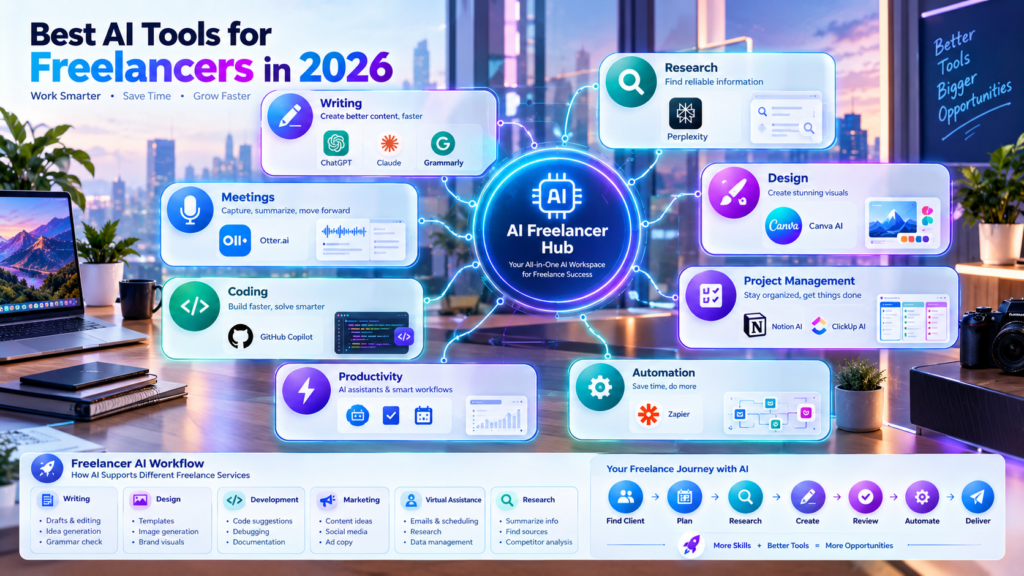
Tools such as ChatGPT, Claude, Canva AI, Perplexity, Grammarly, Notion AI, ClickUp AI, Zapier, GitHub Copilot, and Otter.ai can assist with different parts of freelance work, from research and writing to design, coding, project management, and automation.
Instead of trying to use everything, start with two or three tools that match your freelance niche.
Learn how to use them properly, review their output carefully, protect client information, and continue developing your core professional skills.
The future of freelancing is not simply about using AI. It is about knowing where AI can help, where human judgment is necessary, and how both can work together to deliver better results.
